A local workflow for producers working with video editors.
EDITOR HANDOFFROUND 01 · FROZEN
ONE SELECTED VIDEO
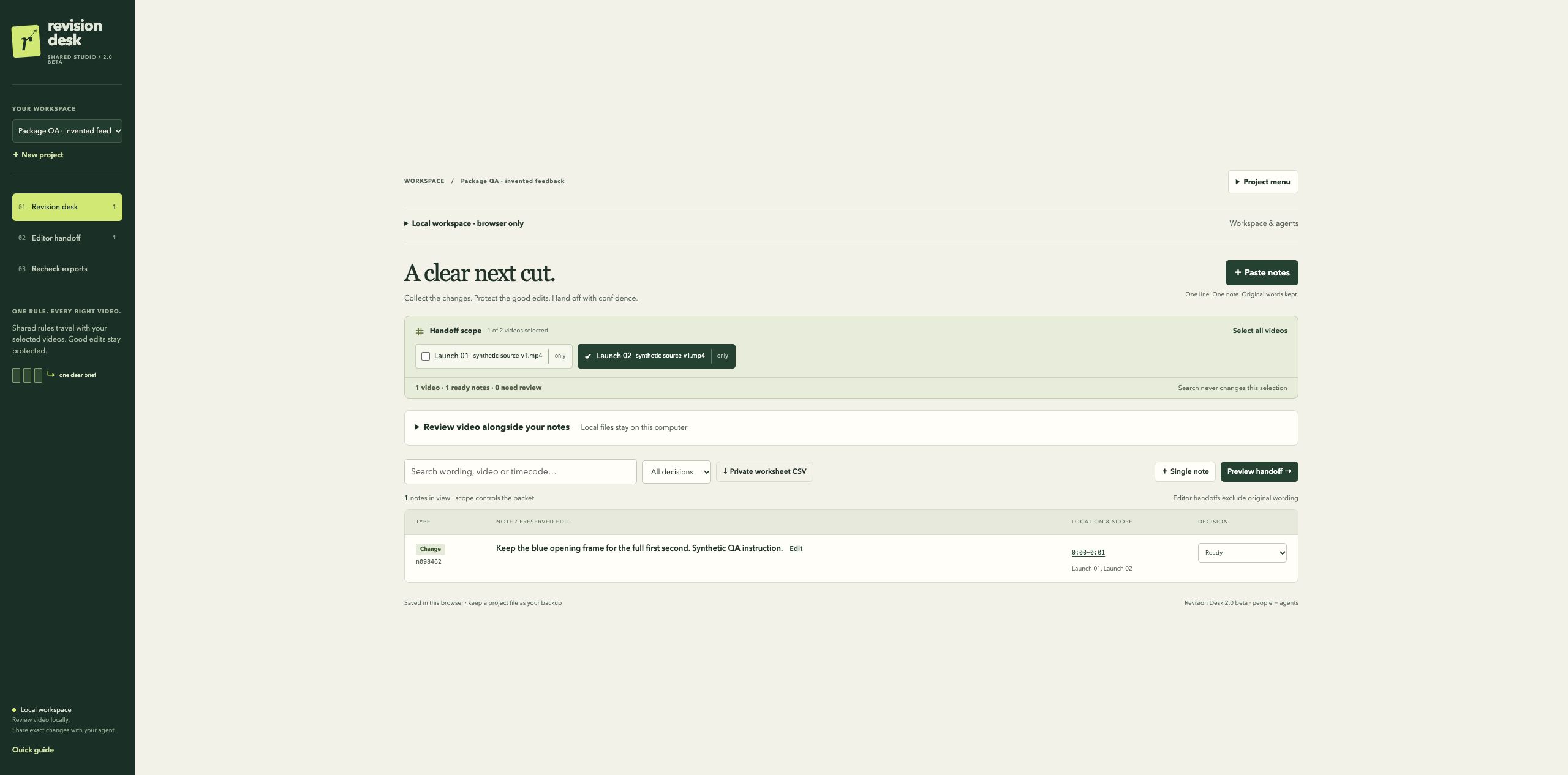
Launch 02
synthetic-source-v1.mp4
00:00 — 00:01
Keep the blue opening frame for the full first second.
Synthetic QA instruction.
✓Launch 02 included Launch 01 stays outside this round
Exact scope. Saved wording.↗
Invented example · open the generated file below
One batch. Different videos.Shared rules where they belong.Each returned file gets its own check.
FROM FEEDBACK TO A CHECKED EXPORT
Keep the whole revision round together.
01
Collect the changes.
Paste feedback and keep the original wording. Assign each note to the right videos. Mark the good edits that should stay.
02
Freeze the handoff.
Select the clips, review the instructions and save a round. Send your editor the HTML or Markdown brief.
03
Check the next cut.
Identify each returned file. Record what you actually checked against the saved round, including the edits you wanted protected.
WATCH THE LOCAL WORKFLOW
From one precise note to a checked export.
An edited walkthrough of the actual beta: protect a good edit, assign a change to one video, freeze the handoff and record the returned-file checks.
61 seconds · silent, with on-screen descriptions · invented project and synthetic colour clips. Checks are recorded by the reviewer; the app does not automatically review footage.
Read the walkthrough
Protect the green closing frame with a shared rule.
Assign an opening-frame change only to Launch 02.
Select Launch 02, preview the instructions and save frozen round 1.
Open the generated HTML handoff for that video.
Attach the returned export and identify its exact file version.
Review the synthetic source and returned clip, record observations and mark the two demo checks.
OPEN THE OUTPUT
This is what your editor gets.
Two videos in the project. One selected for this round. The generated handoff contains the instruction for Launch 02 and its source-file label.
Invented project data. A static document your editor can open in a browser.
INSIDE THE LOCAL BETAActual interface · invented QA project · click to enlarge
KEEP YOUR OWN WORKING COPY
Your footage stays with you. Your handoff travels.
Work locally, attach video files for playback and save project JSON files as portable backups. The handoff is the document you share with your editor.
BEFORE YOU START
A few practical details.
Does my editor need an account?
The HTML and Markdown handoffs are static files. Your editor can read the HTML in a browser. A handoff is an instruction document, not a live collaboration link.
Does Revision Desk review the video for me?
You perform the check and record what you observed. The app keeps those observations tied to the saved round and returned-file version. It does not automatically watch or approve footage.
Where is my project saved?
The local browser workspace stays on your computer. Keep using the same Chrome profile and local address, and download project JSON backups regularly. Browser data can be cleared; the JSON file lets you reopen the project.
What do I need for the local beta?
A Mac, Google Chrome and Node.js 22 or newer. The package runs a local server with a launcher and an open terminal window. It is not a signed native Mac app. A first launch on a fresh Mac has not yet been verified.